
Credentials say who. Binding says from what.
Every device is reviewed and approved before its first session, and can be cut off in one click after its last.
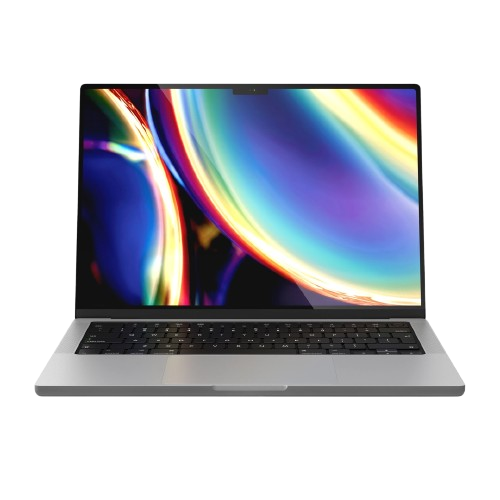 MacBook Pro 14"MBP-14-8F3X-2K7Qapproved
- user
- alen.j@instasafe.com
- os
- macOS 14.4.1
- status
- Compliant
- last seen
- 09:41 IST · today
- certificate
- ISSUED
- binding
- Hardware + OS
Bound and trusted. Access allowed as per policy.
- Device submitted09:35:12
- Identity verified09:35:18
- Posture checked09:35:26
- Policy evaluated09:35:31
- Certificate issued09:35:33
- Access allowed09:35:34




















What is device binding?
Device binding
A stolen password on a strange laptop is not a login.
Device binding ties a user's access to specific, approved hardware. The credential alone stops being enough: the request has to arrive from a machine an administrator has already reviewed and certificated.
- Bound to the hardware, not the browserThe certificate is issued against MAC address, serial number and hardware UUID. A cookie can be stolen and replayed; a hardware identity cannot be carried off in a session token.
- Approved before the first sessionA new device is submitted, its user verified, its posture checked and its policy evaluated before a certificate is issued. Nothing self-enrols quietly in the background.
- Re-checked, not just registeredThe binding is validated on every session and re-validated during it. A machine that stops matching its own certificate loses the access it already had.
- Revoked everywhere, at onceOne action withdraws the certificate across the estate. The laptop left in a taxi stops being a route in without waiting for a password reset to propagate.
A certificate the machine cannot lend out.
Four properties do the work. Each one is a decision your administrators make, not a default they have to live with.
Hardware-bound
The certificate is tied to MAC, serial and hardware UUID — not to a cookie a browser can be talked out of.
Policy-driven
Your rules decide what a bound device is allowed to reach, per user group. Binding is a condition, not a blanket grant.
Continuously checked
Re-validated on every session and during it. A device that stops matching its binding loses the session it already had.
Revocable instantly
One click withdraws the certificate everywhere. A lost laptop stops being a way in before the ticket is closed.
Approve the laptop. Then try the phone.
The administrator console on top, the user's own devices underneath. Toggle a device's approval and connect from it — the same credential, two different answers, because the second machine has no certificate.
Device Binding
ISApprove here — then connect from Maya's own devices, below.
Approve a device in the console above, then press Connect on it here.
One machine only.
- 01
Break the phished credential
The password arrives at the login page from a machine that was never enrolled, and the login stops there.
0access from an unbound device - 02
Approve before first use
No machine self-enrols. An administrator names it, and only then does a certificate get issued.
1approval per device - 03
Revoke the laptop, not the person
A lost machine is cut off on its own — the employee keeps working from their desktop the same afternoon.
∞keep working from another device
What the binding is made of, as a checklist.
Tick what your evaluation actually needs and copy the shortlist straight into your ticket. Filtering hides rows; it never clears a tick.
11 specs · none selected
//Ready when you are//
Ditch the VPN. Keep your apps invisible.
Runs alongside the VPN you have, app by app, until there is nothing left to switch off. Nothing to rack, no network to re-architect.
Regulated, air-gapped, or on-premise? See deployment options