Multi-Factor Authentication asks for two or more different kinds of proof before letting someone in. The kinds are what matter: something you know, something you have, something you are.
Something you knowA password or a PIN. On its own it fails silently. A stolen credential works perfectly for the thief, and nothing about the login looks wrong.
Something you haveYour phone or a hardware key. The attacker may know the secret, but they are not holding the object, and that is where the attack stops.
Something you areYour fingerprint or your face. The highest-convenience strong factor, because the person carries it without carrying anything.
MFA vs 2FA: the most-asked question2FA is exactly two factors. MFA is two or more, and in practice means a system that is flexible about which factors, per user and per risk level. Every 2FA is MFA; not every MFA stops at two.
Not a ranking. Two groups of three, split by the problem each one actually solves: getting the code to the person, and making the approval hard to fake. Pick the situation that is yours, or let it run and meet all six. Most organisations need one from each column.
Getting the code to the person
ITIT Manager10:06 AM
Our plant runs out of a location where mobile signal drops for hours at a stretch. If the OTP is an SMS, my shift supervisors simply cannot log in.
InstaSafeAPP10:06 AM
The code is generated on the phone itself, not sent to it. The InstaSafe Authenticator produces a fresh time-based code every 30 seconds with no network of any kind: no SMS, no data, no Wi-Fi.
The phone and the server agree on the time, and that is the entire dependency.
new code every 30s · works fully offline
Ask your access layer…
Making the approval hard to fake
Six methods, and no requirement to pick one. Auth profiles are set globally and then overridden per user or per group, so the field team can be on SMS while treasury is on hardware keys, inside the same policy.
Coverage
Where MFA applies.
Most MFA stops at the browser. These are the two surfaces that matter, and the second one is the one that usually gets left out.
Web and SaaS apps
Every app behind the login, whatever it speaks.
Anything that talks SAML 2.0, OAuth or OpenID Connect sits behind the same challenge: the SaaS suite, the internal web app, the vendor portal nobody remembers buying.
The factor is not configured in the application. It is a property of the group the person is in, which is why adding an app never means teaching it what MFA is.
Every application above is behind the same login. The factor comes from the group, not the app.
Desktop login
The second factor at the Windows sign-in.
This is the OS logon itself, not a browser pretending to be a login screen. The InstaSafe agent brings the tunnel up before anyone has signed in, which is what lets a domain login work on a laptop sitting in a hotel.
Then the machine asks for the second factor the same way the browser would: SMS, an authenticator code, or the fingerprint reader that is already in the palm rest.
InstaSafe agent starting…before anyone has signed in
08:58Tuesday, 14 August
AJAlen JosephCORP\alen.josephPassword
Second factor required
SMS OTPTOTPFingerprint
Code sent to ••••• 43210
Welcome, Alen
Windows sign-in · not a browser
Network equipment
The switch console asks the same question.
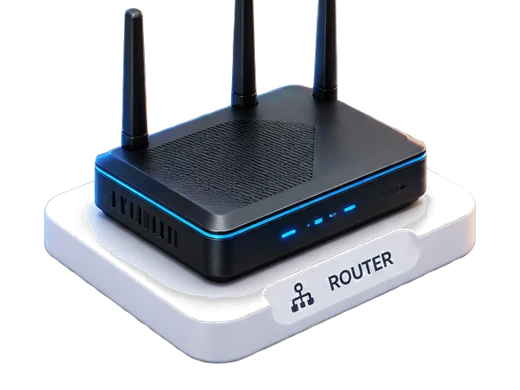
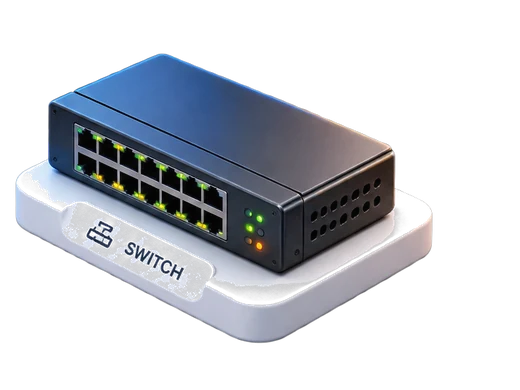
Routers, switches, firewalls and VPN concentrators do not hold their own MFA. They ask something else. InstaSafe answers on RADIUS and TACACS+, which is the language that gear has spoken for thirty years.
So the engineer who opens a privileged CLI at 2am gets the same challenge as the person opening a SaaS app at 10am, and the same line in the same log.
FirewallRADIUSAdmin console loginsRouterTACACS+Privileged CLI accessVPN clientRADIUSRemote user loginsSwitchTACACS+Per-command authorisation
InstaSafeRADIUS · TACACS+
Kerberos3 apps
Active DirectorySAPServiceNow
Desktop SSO carries into the portal
LDAP3 apps
OpenLDAPOracleVMware
Groups read from the directory of record
ADFS3 apps
Microsoft 365TeamsAzure
Federate to the trust you already run
ADFS / LDAP apps
The apps that authenticate against your directory.
Not everything speaks SAML. Applications wired straight into Active Directory or an LDAP server get the second factor at the directory, without being modified to understand what a factor is.
MFA on every surface, with a login record per attempt, is what these three ask for in different words. The trail exports in the format your auditor already reads.
GDPRData-protection obligations supported
ISO 27001Information security management
SOC 2AICPA trust services criteria
Try it
Open the laptop and sign in as Alen.
A full-page demonstration of the second factor at the Windows sign-in. The laptop opens as you scroll, the password goes in, and then the OS asks for one of the six factors. Pick whichever you want to watch. Nothing here talks to a live directory, and no account is needed.
A real challenge flow for each method: the code, the push approval, the biometric prompt, and the decision at the end. No account needed, and nothing here talks to a live directory.
secure.instasafe.com/loginMFA
Choose a verification method.
DM
Welcome back
deb•••@instasafe.com
Password OK
Step 2 · Verify identity Try one
Pick a method on the left to watch the second factor play out — live.
no real account needed
Quick scan
Every number on this page, as a checklist.
Tick what your evaluation actually needs and copy the shortlist straight into your ticket. Filtering hides rows; it never clears a tick.
12 specs · none selected
MFA outcomes
Every entry point.Friction sizedto the risk.
The same six methods reach the SaaS suite, the OS logon, the switch console and the legacy app. Each role gets the factor its risk actually justifies.
Stolen passwords stop working
The phish succeeds and the login still fails. The attacker holds the secret and not the second kind of proof.
MFA reaches past the browser
The OS logon, the switch console and the directory-integrated legacy app get the same protection as the SaaS suite.
Friction proportional to risk
Push-to-approve for daily work; hardware keys and continuous facial verification for the crown jewels.
//Ready when you are//
Ditch the VPN. Keep your apps invisible.
Runs alongside the VPN you have, app by app, until there is nothing left to switch off. Nothing to rack, no network to re-architect.


















 Microsoft 365
 Salesforce
 Workday
 SAP
SAP GitLab
 ServiceNow
 Slack
Slack Zoom
Zoom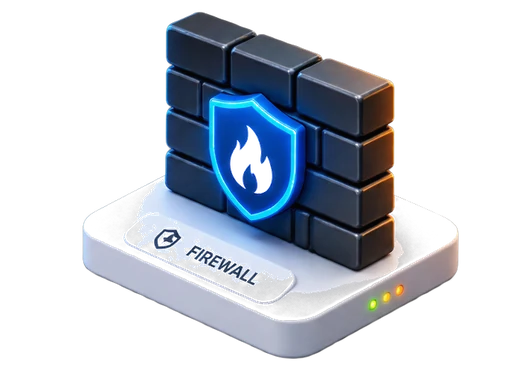

 Active Directory
 OpenLDAP
 Oracle
 VMware
 Teams
Teams Azure
Azure