
Zero Trust access. Zero install.
Web, RDP, SSH and VNC applications open straight from a browser tab, checked, scoped and recorded, with nothing to deploy on the device. Built for contractors, BYOD and the first day of a new joiner.
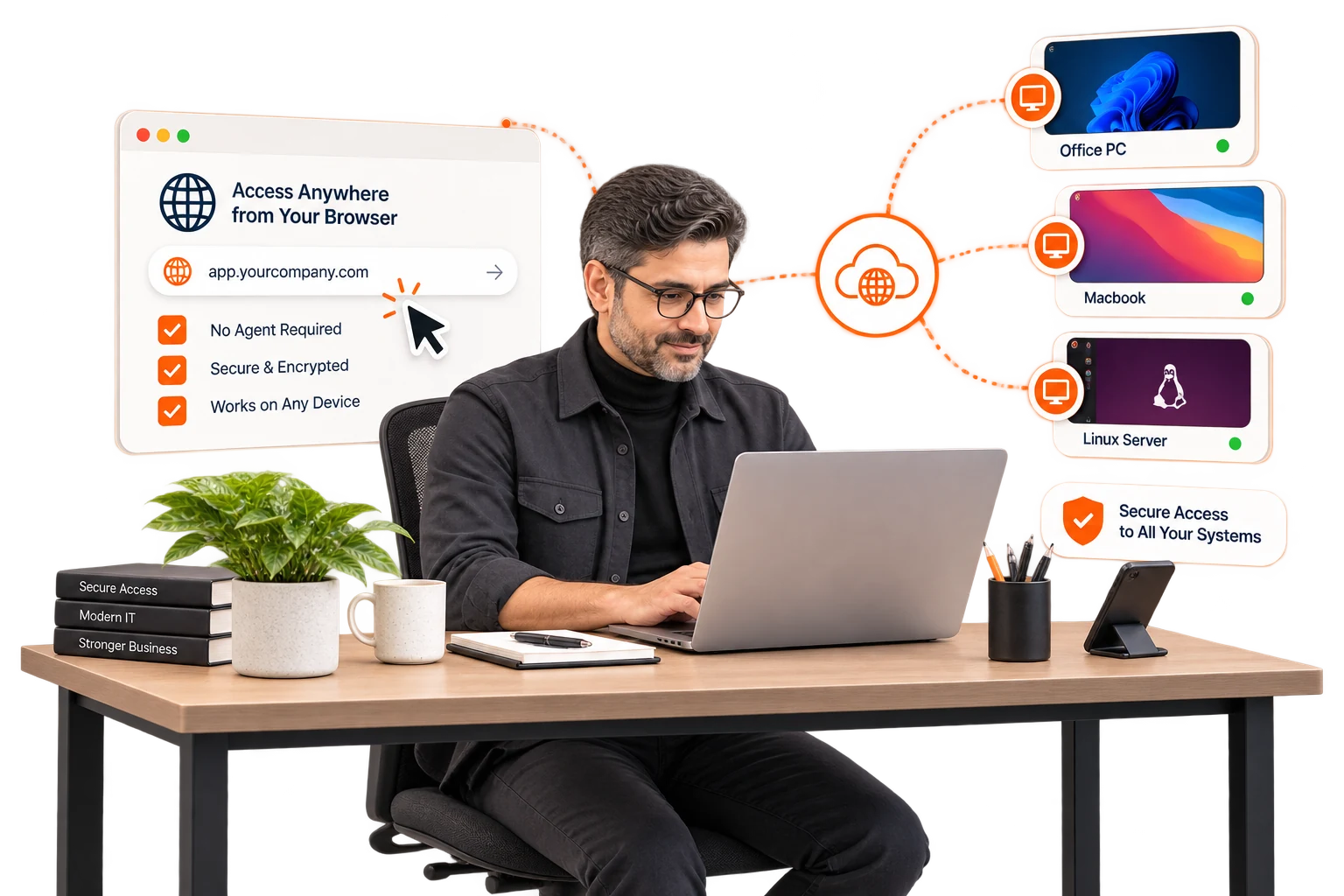
The browser is the client.
the plain answer
Clientless access publishes an application through the InstaSafe portal instead of extending a network to a device. The person signs in with identity, a second factor and device context, and the application they are entitled to opens in the tab: a web app as itself, a Windows desktop or a Linux host as a rendered session. No agent is installed, no tunnel is built to the device, and nothing on the device is ever a member of the network. That is why it fits the people you cannot manage: an outside team, a personal laptop, a joiner whose hardware has not arrived.
- Third parties, without managing their devices.A contractor gets the one application in scope, from whatever machine they own. Their device never joins anything, so there is nothing to un-join when the contract ends.
- Every OS, every browser.Keeping an agent working across Windows, macOS, Linux, ChromeOS and whatever a vendor turns up with is a support queue. A browser tab is already there.
- Need-to-know, by construction.The portal shows what the person is entitled to and nothing else. There is no subnet behind the tab to explore.
What opens in a tab, and how.
Four application types publish through the portal today. Each one keeps its own protocol behind the gateway and shows the person a session, never a host.
- WEBInternal HTTP and HTTPS applications, published as themselves behind the gateway. The user sees the app; the app sees a governed session.
- RDPWindows desktops and published applications rendered in the tab, with clipboard, drive and print mapping decided by policy. The session is recorded when policy says so.
- SSHLinux hosts as a terminal in the tab. The private key never leaves the gateway; the person authenticates as themselves and the session carries their name.
- VNCRemote console access for the machines that only speak VNC: lab hosts, appliances, the box under the desk, all under the same identity and the same recording.
Every session starts with the same check: identity, second factor, device context, policy. The portal is the front door, not a shortcut around it.
Agent or browser? The honest split.
Both are InstaSafe. One policy, one directory, one log. Pick per application, and mix freely.
- ▸Installed on the deviceNothingThe InstaSafe agent
- ▸Best forContractors, BYOD, day-one access, kiosksManaged fleets, thick clients, always-on
- ▸Application typesWeb, RDP, SSH, VNCAnything with an IP, plus the four
- ▸Device postureBrowser and OS signals at sign-in25 checks, re-evaluated during the session
- Identity and MFASame directory, same second factorSame directory, same second factor
- Session recordingRDP, SSH and VNC sessions, by policyBy policy
- Network membershipNone, everNone: a per-app tunnel
- LogThe same 202 event typesThe same 202 event types
Who it is built for.
Outside teams
Auditors, consultants, vendors' engineers: the one system in scope, for the length of the engagement, from their own machines.
Personal devices
The board member's iPad, the sales lead's home laptop. Access to the app, nothing installed, nothing the company has to wipe later.
Day one
The joiner whose laptop is in transit gets the HR portal and the wiki from any browser, under their real identity, before the hardware lands.
Shared and locked-down machines
Kiosks, branch terminals and warehouse PCs that will never take an installer, reaching the one application each of them exists for.
What changes when the clientis the browser.
Three consequences of publishing the application instead of extending the network.
Nothing to deploy
No agent to package, push, patch or explain to a vendor's IT team. The access starts the day the policy does.
Every device counts
Any OS with a modern browser is a supported device. The support queue for the client disappears because there is no client.
Scoped to the tab
The session is the boundary. Close the tab and the access is gone; there is no network membership to revoke afterwards.
clientless access, answered.
Tap a question. If yours is not here, a specialist can answer it.
Talk to a specialist//Ready when you are//
Publish one application to an outside team, this week.
A 30-minute walkthrough of the portal against your own application: who gets in, from what, and what they can reach after that.
Regulated, air-gapped, or on-premise? See deployment options